Tiny, human-like cursor movements keep your computer awake during long downloads, renders, and presentations. Set it once and forget it.

VMJ active
Jiggler
Insights
Brief 3
Account
No configuration, no browser extension, no fiddling. It lives quietly in your menu bar or system tray.
One file for your Mac, PC, or Chrome. Double-click to launch — no installer to babysit.
Takes a few seconds and starts your free trial: 3 days on Mac and Windows, an hour in Chrome. No card needed. Already subscribed? Paste your activation key instead.
Pick a cadence, flip the toggle, and step away. Your computer stays active until you turn it off.
Two things built into every VMJ app: a brief of what you missed while you were away, and a running count of the time VMJ has covered for you.
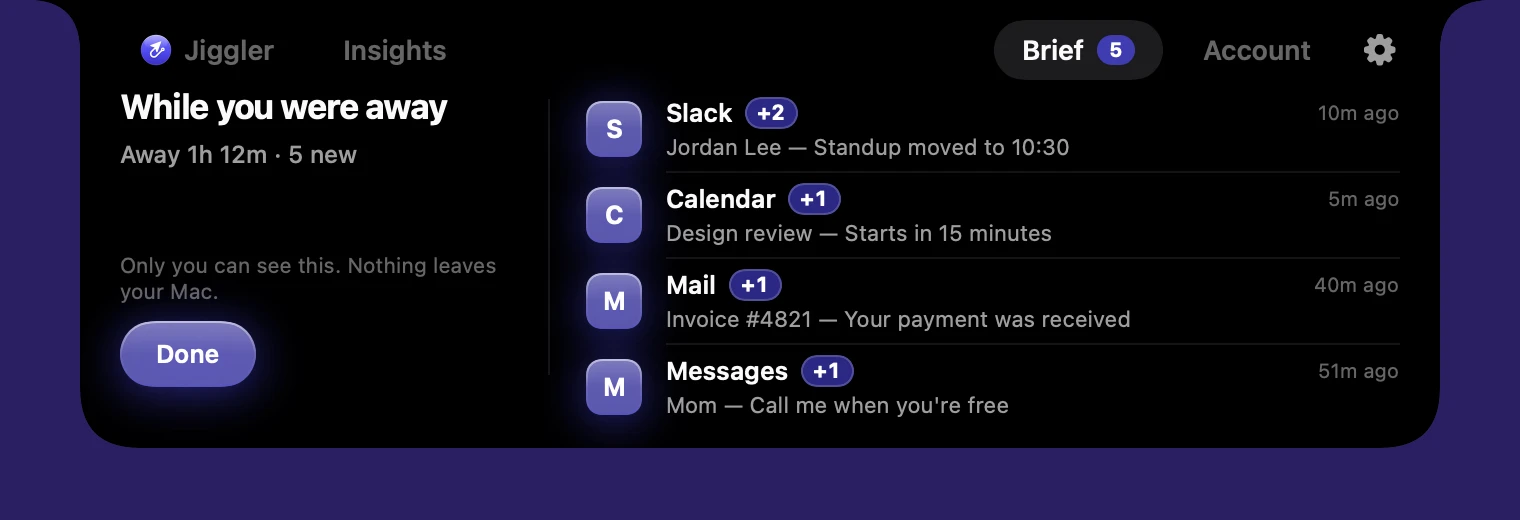
While VMJ keeps you active, it quietly notes the notifications that come in. When you get back, one glance shows what you missed, grouped by app, newest first.

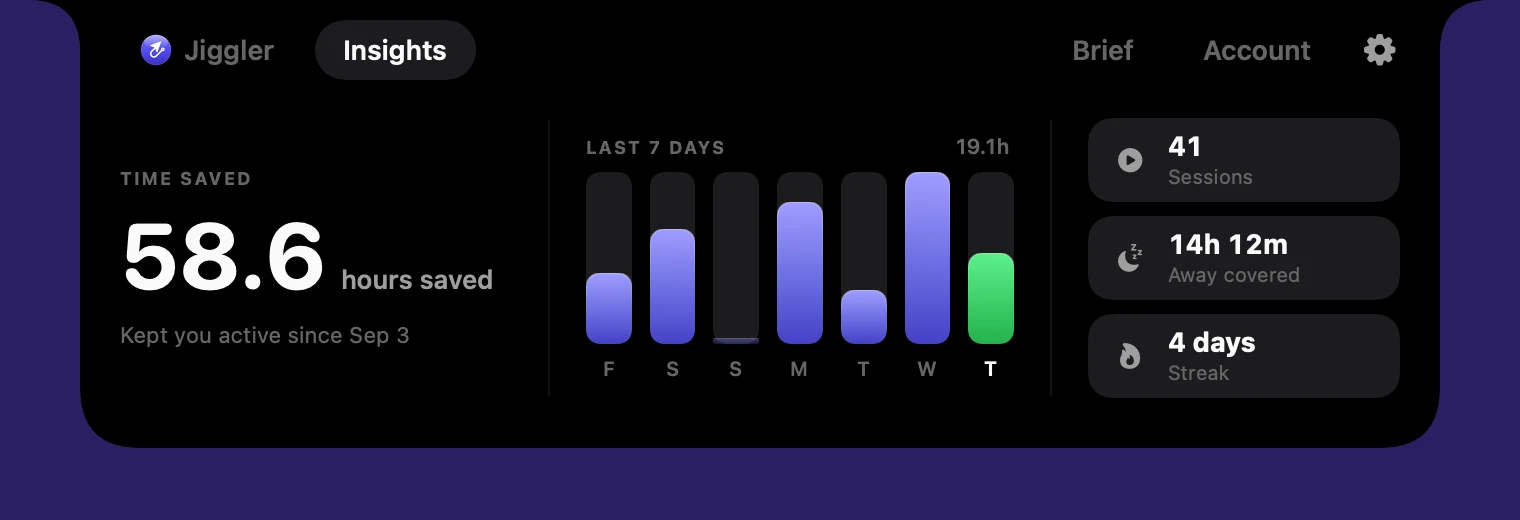
Insights adds up every minute VMJ has kept you active, so you can see exactly what it's worth: your total, your last seven days, and the time it covered while you were away.

On Mac, Windows and Chrome. Included in every plan and the free trial.
One subscription covers all three — Mac, Windows, and Chrome. Install on every device you own.
Movements are real OS-level cursor nudges up to a pixel, indistinguishable from a human hand. There's no fake activity to flag and no browser extension to spot. It just looks like you're at your desk.
CPU while running. It sleeps between nudges — your battery won't notice.
Randomized timing and direction. Never the same interval twice, so it never falls into a detectable pattern.
Blocks sleep and screensavers too, so you stay present through long idle stretches.
Native Mac, Windows, and Chrome versions that look and feel identical. One account covers them all.
Start with three free days. No card to try it.
Full features, no card required. See your status stay green before you pay a cent.
Unlimited use on every device you own. Automatic updates included.
Cancel anytime · Secure checkout by Stripe
It makes tiny, randomized cursor movements at an interval you choose. To your computer and any app watching for idle time, that reads as genuine activity, so your status stays Active. The movement is a pixel or two and returns to where it started, so it never interrupts what you're doing.
No. There's no browser extension and no fake network activity. The app produces real operating-system cursor movement, indistinguishable from a human hand. Status apps only see that you're active.
Yes — Slack, Microsoft Teams, Discord, Zoom, Google Chat, and anything else that marks you idle after inactivity. It works at the system level, so it's app-agnostic.
No. It sleeps between nudges and uses effectively no CPU. You won't notice it running, and it won't drain your battery.
Unlimited use of the Mac app, the Windows app, and the Chrome extension on every device you own, including the Away Brief and Insights, plus automatic updates and priority support. Start with a free trial and cancel anytime from your account.
While VMJ is running, it notes the notifications that arrive. When you come back to your computer, it shows a short summary of what you missed, grouped by app. It's on by default, and in the Mac and Windows apps you can turn it off in Settings. The brief is stored only on your device and is never uploaded.
Insights counts the time VMJ was actively keeping your computer awake, and separately the part of that time you were actually away from the keyboard. It's calculated on your device, so it works offline and nobody else sees it.
Open your account page and click Manage plan — it opens the secure billing portal where you can cancel in one click. No emails, no hoops.
Download Virtual Mouse Jiggler and let it stay green for you. Free to try, then $8.99/month.
Download for Mac